
Ayafy feature · Free
Quran Reader Settings: Font Size, Dark Mode & Storage
Ayafy’s reader settings let you set the Mushaf layout, font and font size, choose your translation, switch between light and dark mode, and decide whether to see highlights from your past mistakes. A storage setting lets you clear downloaded fonts, recitations and cache when you need the space.
Step by step
How it works
-
Open any surah or page and tap the menu in the top corner.
-
Set the layout, font and font size.
-
Choose your translation, and turn mistake highlights on or off.
-
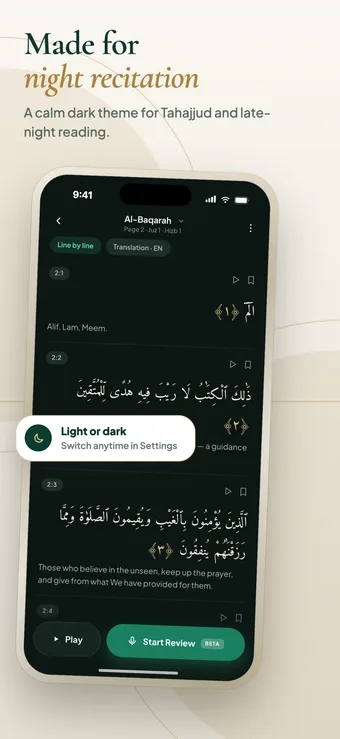
Switch light or dark mode in Settings, and clear downloads from storage when needed.
Inside the feature
What you get
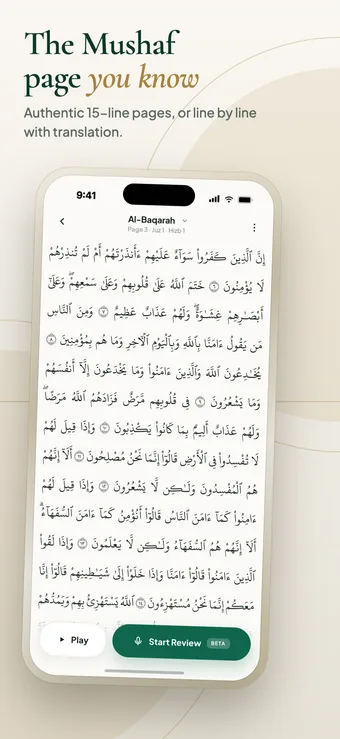
- Madani Mushaf 1421H and Madina 1405 layouts
- DigitalKhatt v2, Madina 1405 and Madina 1421H fonts
- Adjustable font size
- Translation language selector
- Show or hide highlights from past mistakes
- Light and dark themes
- Clear downloaded fonts, recitations and cache
Set it up once so it stays out of the way
Reading the Quran should feel comfortable, because you will do a lot of it. A font that is a little too small is tiring after twenty minutes, and a bright white screen is harsh at night. Taking a minute to set the layout, font and size once is worth it.
Mistake highlights: on or off
Ayafy can color words you got wrong in earlier reviews while you read. It is useful when you are preparing a page, because the weak words are already marked. When you want a clean page to read or recite from, switch them off, and turn them back on whenever you like.
Managing storage
Fonts, recitation audio and other downloads live on your phone so they work offline. If your storage is getting full, clear downloaded fonts, recitations and cache from the storage settings. You can download them again later.
Can I change the font size in Ayafy?
Yes. Font size is adjustable in the reader settings, separately from the font you choose.
Does Ayafy have a dark mode?
Yes. Switch between light and dark themes at any time in Settings.
How do I turn off the colored mistake highlights?
Mistake highlights from your past reviews can be switched on or off while you read, in the reader settings.
How do I free up space used by Ayafy?
Open the storage settings and clear downloaded fonts, recitations and cache. You can download them again whenever you need them.
Keep exploring
More Ayafy features
Free on iOS and Android
Try Reader Settings & Dark Mode in Ayafy
Every Ayafy feature is free. Download the app and start today.