
Ayafy feature · Free
Read the Quran Line by Line with Translation
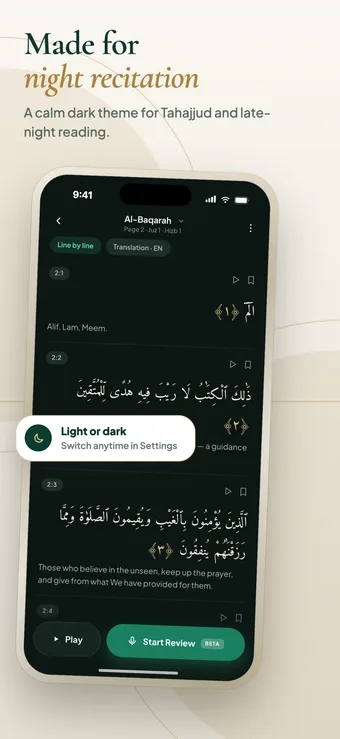
Ayafy’s line-by-line reader puts every ayah on its own row with the translation right underneath, a play button and a bookmark. It is the easy way to read slowly, understand what you are reading, and open tafsir or transliteration for any ayah.
Step by step
How it works
-
Open a surah in the Quran tab.
-
Switch the reader to the Line by line view.
-
Pick the translation language you want shown under each ayah.
-
Tap play or the bookmark beside any ayah, or tap the ayah itself for tafsir and transliteration.
Inside the feature
What you get
- One ayah per row with its ayah number
- Translation shown under each ayah, in the language you choose
- A play button on every ayah
- Bookmark any ayah to find it again
- Open tafsir and transliteration from the ayah
- Start a review from the same screen
- Works in light and dark mode
Who the line-by-line view is for
It suits anyone who wants the meaning next to the Arabic: new learners working through a surah, people who understand a translation better than the Arabic, and anyone memorizing who wants to read an ayah slowly before reciting it.
If you are revising or reciting, the full Mushaf page is usually better because it matches how you learned the text. Both are one tap apart, so you can read here and revise there.
Small things that make it useful
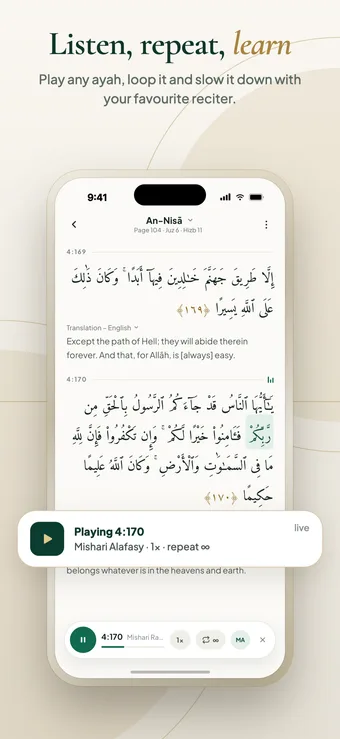
- Tap play on a single ayah to hear it, then loop it while you learn it.
- Bookmark the ayahs you keep coming back to.
- Open tafsir for an ayah that you do not fully understand.
- Turn on the highlights from your past mistakes to see which words on the page have tripped you up.
What is the line-by-line view?
It is a way of reading where each ayah is on its own row with its translation underneath, instead of the full Mushaf page.
Can I change the translation language?
Yes. Translation is available in many languages, and more are being added. Choose yours from the translation selector above the ayahs.
Can I bookmark an ayah?
Yes. Every ayah in the line-by-line view has a bookmark button.
Can I listen to one ayah at a time?
Yes. Each ayah has its own play button, and you can repeat or slow it down from the ayah sheet.
Is there a dark mode for reading at night?
Yes. Switch to the dark theme in Settings for a calmer screen during Tahajjud or late-night reading.
Keep exploring
More Ayafy features
Free on iOS and Android
Try Line-by-Line Reader in Ayafy
Every Ayafy feature is free. Download the app and start today.